Learning how to use Monster for job applications can significantly enhance your job search experience by providing access to a wide array of opportunities tailored to your skills and preferences. Navigating the platform efficiently allows you to present yourself professionally and stay ahead of other applicants in a competitive market.
This guide offers comprehensive steps on creating a compelling profile, searching for relevant job listings, customizing applications, and leveraging Monster’s additional features to maximize your chances of landing your ideal job.
Overview of Using Monster for Job Applications
Monster is one of the most established and comprehensive online job portals, designed to connect job seekers with potential employers across various industries and locations. Its primary purpose is to streamline the job search process by providing users with a platform to find relevant job listings, upload their resumes, and apply directly to positions that match their skills and interests.
With numerous features tailored to facilitate a successful job hunt, Monster offers tools such as personalized job alerts, resume optimization, and career advice, making it a valuable resource for both new entrants and experienced professionals.
Understanding the typical process of submitting a job application on Monster enables users to navigate the platform efficiently and increase their chances of success. The process generally involves creating a detailed profile, searching for suitable jobs, and submitting applications with tailored resumes and cover letters. Creating an account is a straightforward process that lays the foundation for all subsequent activities on the site.
Setting up an effective profile involves inputting personal details, professional experience, and skills, which allows Monster’s algorithms to recommend relevant jobs and improve visibility to recruiters. This overview aims to equip job seekers with the knowledge needed to leverage Monster effectively in their employment pursuits.
Creating an Account and Setting Up a Profile on Monster
Establishing an account on Monster is the initial step that enables users to access all its features and begin their job search actively. The registration process is designed to be user-friendly, ensuring that even those with minimal technical experience can complete it with ease.
To create an account, users should visit the Monster homepage and locate the sign-up button, typically labeled as “Register” or “Sign Up.” Clicking this button prompts the user to provide basic information, including their email address, password, and personal details such as name and location. It is advisable to choose a secure password and verify the email to activate the account promptly.
Once registered, setting up a compelling profile involves several key steps:
- Completing Personal Details: Enter basic information such as contact details, preferred job locations, and work authorization status. Accurate and up-to-date information ensures better matching with relevant job postings.
- Uploading a Resume: Users should prepare a professional resume in formats accepted by Monster (such as PDF or Word). The platform allows uploading the document directly, which can be used to auto-fill application forms and enhance visibility.
- Adding Skills and Experience: Fill in sections related to work experience, educational background, and key skills. Detailed entries improve the chances of appearing in recruiter searches and tailored job recommendations.
- Setting Preferences: Customize job alerts and notifications based on preferred roles, industries, and locations. This proactive approach ensures that users are promptly informed about relevant opportunities.
Utilizing these features effectively can significantly increase the likelihood of connecting with suitable job openings. Furthermore, maintaining an updated profile and actively engaging with the platform can enhance visibility and responsiveness from potential employers, making Monster a powerful tool in the job application process.
Building an Effective Monster Profile
Creating a comprehensive and well-optimized profile on Monster is essential for attracting the attention of potential employers and recruiters. A professional profile serves as your digital introduction, showcasing your skills, experience, and career aspirations. When crafted thoughtfully, it increases your visibility in search results and improves your chances of landing relevant job opportunities.
An effective Monster profile not only highlights your qualifications but also aligns with industry-specific s and best practices. This strategic approach ensures that your profile ranks higher in employer searches and captures the interest of hiring managers actively seeking candidates with your expertise.
Essential Elements to Include in a Professional Profile
To maximize the impact of your Monster profile, it is crucial to incorporate key components that provide a clear and compelling picture of your professional background. These elements should be organized, accurate, and reflective of your career goals.
- Professional Summary: A concise overview of your career, highlighting your core skills, experience, and what you bring to potential employers. This section should be tailored to match the types of positions you are seeking.
- Work Experience: Detailed descriptions of your previous roles, including job titles, companies worked for, employment dates, and specific achievements. Use action verbs and quantify accomplishments where possible to demonstrate your impact.
- Educational Background: List your degrees, certifications, and relevant training. Include the institutions attended and graduation dates, emphasizing qualifications related to your target industry.
- Skills and Competencies: A well-curated list of technical and soft skills that align with your career objectives. Prioritize skills that are in demand within your field to improve searchability.
- Certifications and Professional Development: Include industry-specific certifications, licenses, or ongoing training that validate your expertise and commitment to professional growth.
Uploading Resumes, Cover Letters, and Portfolio Items
Adding relevant documents and portfolio items to your profile enhances your credibility and provides tangible evidence of your capabilities. Proper organization and presentation of these materials are vital to make a positive impression on recruiters.
- Resumes: Upload a tailored resume that is formatted professionally and free of errors. Ensure it highlights your most relevant experience and includes appropriate s. Save different versions if targeting diverse roles, and name files clearly, such as ‘John_Doe_Accountant_2024.pdf.’
- Cover Letters: Attach customized cover letters that address specific job applications. Use a professional tone, and focus on how your skills and experience meet the employer’s needs, referencing the job description directly.
- Portfolio Items: Showcase your best work, such as project samples, presentations, or publications. Use high-quality images or documents, and organize them logically within your profile to allow recruiters to easily review your work.
Creating a -Optimized Profile
Strategic use of s significantly improves your profile’s visibility in Monster’s search algorithms. Incorporate relevant s naturally within your profile content to align with employer search queries and industry terminology.
Identify s from job descriptions that match your skills, experience, and industry. Focus on specific terms such as technical tools, certifications, and role-specific phrases.
Develop a structured list of s that reflect your expertise. For example, if you are a digital marketing specialist, include terms like ‘,’ ‘Content Strategy,’ ‘Google Analytics,’ ‘Social Media Management,’ and ‘Campaign Optimization.’ Integrate these s seamlessly into your professional summary, skills, and experience sections.
Regularly update your s based on evolving industry trends and job market demands to maintain optimal profile visibility. Using variations and synonyms of key terms can also enhance your profile’s reach and attract a broader range of relevant opportunities.
Searching and Filtering Job Listings on Monster
Effectively narrowing down job searches on Monster can significantly enhance your chances of finding suitable opportunities. By understanding how to utilize various search filters, you can access more targeted results, saving time and increasing the relevance of your applications. Properly applying filters such as location, industry, and experience level allows you to customize your search according to your career goals and preferences.
Monster provides a range of filtering options that help users refine their job searches with precision. These filters can be combined to create highly specific search criteria, which results in a more manageable list of opportunities. Additionally, leveraging strategies like saving searches and setting alerts ensures you remain updated on new postings that match your interests, giving you a competitive edge in the job market.
Utilizing Search Filters Effectively
When conducting a job search on Monster, start by entering relevant s related to your desired position in the search bar. Then, customize your search further by applying filters available on the results page. These filters include location, industry, experience level, job type, and posting date, among others. Adjusting these filters can dramatically change the search results, helping you focus only on the most pertinent listings.
| Filter Type | Description | Effect on Results | Example |
|---|---|---|---|
| Location | Selects jobs within a specific geographic area | Limits results to jobs in the chosen city, state, or region | New York, NY |
| Industry | Filters jobs by sector such as IT, healthcare, finance, etc. | Refines search to roles relevant to the selected industry | Information Technology |
| Experience Level | Specifies the required experience, such as entry-level, mid-level, or senior | Filters out positions that do not match your experience background | Mid-Level (3-5 years) |
| Job Type | Designates full-time, part-time, contract, or temporary roles | Focuses search on the preferred employment type | Full-time |
Strategies for Saving Searches and Setting Alerts
To streamline your job search process, utilize Monster’s features to save searches and receive notifications about new postings matching your criteria. Saving searches allows you to quickly access tailored results without re-entering filters each time, saving valuable time during your job hunt. Setting up alerts ensures you are promptly notified when new opportunities arise that fit your predefined parameters, keeping you ahead of the competition.
- Conduct a comprehensive search using relevant filters to generate a list of ideal job postings.
- Click on the “Save Search” option, often located at the top of the search results page, and give it a descriptive name for easy retrieval.
- Enable email alerts or notifications for the saved search so that Monster can inform you of new opportunities automatically.
- Regularly review and update your saved searches and alert settings to adapt to changing career interests or industry trends.
“Utilizing saved searches and alerts ensures you stay proactive, enabling quick application submissions when new roles appear that match your career aspirations.”
Applying for Jobs via Monster
Applying for jobs through Monster involves a streamlined process that allows candidates to submit their applications efficiently while also providing opportunities to personalize each submission to stand out to employers. This section guides users through the essential procedures and best practices to maximize their chances of securing interviews via the platform.When applying directly through Monster, applicants can leverage the platform’s intuitive application system to submit their resumes, cover letters, and additional documents with minimal hassle.
The process typically involves selecting a job listing that fits their profile, reviewing the job description and requirements, and clicking the “Apply” button. Depending on the employer’s preferences, applicants may either submit a pre-uploaded resume and cover letter stored in their profile or upload new documents tailored specifically for the role. It is crucial to follow the application instructions carefully, as some positions may require completing additional questionnaires or providing specific information to be considered.To increase application effectiveness, customizing cover letters and resumes for each role is highly recommended.
Personalization demonstrates genuine interest and aligns your qualifications with the employer’s needs, significantly improving your chances of progressing in the selection process.
Submitting Applications Directly Through the Platform
When using Monster for direct job applications, follow these procedures:
- Log into your Monster account and locate the desired job listing using the search and filter features.
- Click on the job title to view detailed information about the position.
- Press the “Apply Now” button, which typically redirects you to an application form or prompts you to upload your documents.
- If prompted, select your previously uploaded resume and cover letter, or upload new, role-specific documents. Ensure these files are in accepted formats such as PDF or Word document.
- Fill out any additional application questions, such as salary expectations or availability, if required.
- Review all entered information and uploaded files meticulously before submitting to prevent errors or omissions.
- Click “Submit” to send your application directly to the employer via the platform.
Best Practices for Customizing Cover Letters and Resumes
Personalization plays a vital role in making your application stand out. When customizing your documents:
Analyze the job description carefully to identify the key skills and qualifications the employer seeks. Use this information to tailor your cover letter, directly addressing how your experience aligns with the specific requirements.
Highlight relevant achievements and skills at the top of your resume, ensuring they match the s from the job posting. This not only grabs the employer’s attention but also improves your chances of passing applicant tracking system (ATS) scans.
Use a professional yet engaging tone in your cover letter, demonstrating enthusiasm for the role and understanding of the company’s goals. Incorporate specific references to the company’s projects or values to show genuine interest.
Customizing your application documents for each position increases your visibility and demonstrates your commitment to the role, making it more likely for hiring managers to consider your application seriously.
Application Checklist to Ensure Completeness
To avoid missing critical components in your application, consider this comprehensive checklist:
| Component | Details |
|---|---|
| Updated Resume | Ensure your resume is current, error-free, and tailored to the specific job. |
| Customized Cover Letter | Write a personalized cover letter addressing the employer and role specifically. |
| Supporting Documents | Include required attachments such as certifications, portfolios, or references if applicable. |
| Application Form Accuracy | Double-check all form fields for correctness and completeness. |
| s and Phrases | Incorporate role-specific s to optimize ATS compatibility. |
| Contact Information | Verify your contact details are correct and professional. |
| Application Confirmation | Ensure receipt confirmation or acknowledgment email from the platform or employer. |
Using this checklist helps streamline your application process, ensures you submit all necessary components, and presents you as a thorough and detail-oriented candidate.
Managing Job Applications and Tracking Progress
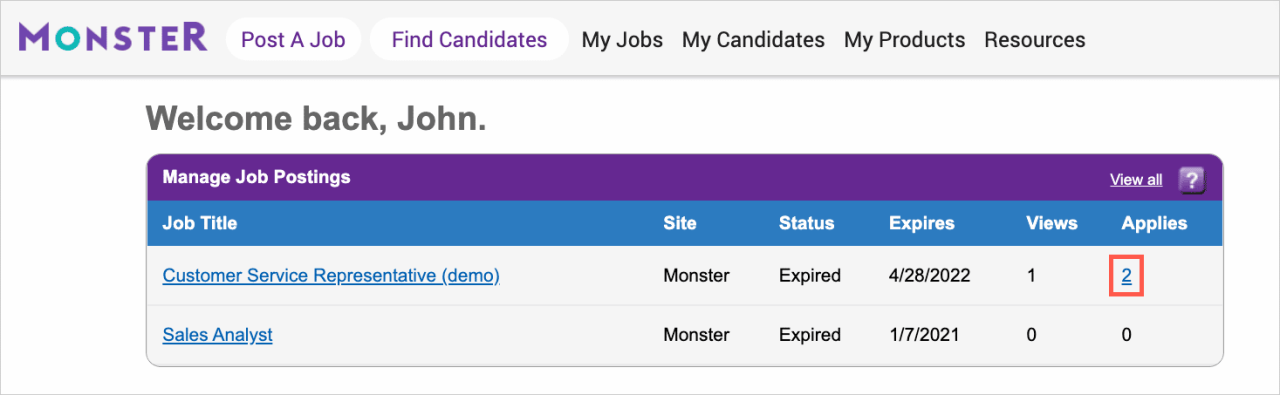
Effective management of your job applications is crucial to maintaining organization, ensuring timely follow-ups, and increasing your chances of securing employment. By systematically tracking your applications and staying updated on their statuses, you can optimize your job search process and avoid missing opportunities or deadlines. Utilizing Monster’s dashboard features provides a centralized platform to monitor all your applications, while notifications help you stay informed about responses or required actions, enhancing your overall efficiency in the application process.
Managing multiple job applications can become overwhelming without proper organization. An effective approach involves categorizing applications based on their status—such as submitted, interview scheduled, or rejected—and setting reminders for follow-up actions. Creating a tracking system, whether through a digital spreadsheet or within Monster’s tools, allows you to keep a clear record of each application, including the applied position, date, company contact details, and upcoming follow-up dates.
Consistent updates to this system enable you to prioritize your efforts and ensure no application is overlooked.
Using Monster’s Dashboard to Monitor Application Statuses
Monitoring your job application statuses directly through Monster’s dashboard provides a streamlined overview of your entire job search progress. The dashboard displays real-time updates on each application, including whether your application has been viewed, shortlisted, or rejected. This centralized view helps you quickly identify which applications require follow-up and which are progressing smoothly.
To utilize this feature effectively:
- Log into your Monster account and navigate to the ‘My Applications’ section on the dashboard.
- Review the status indicators associated with each application, such as “Received,” “In Review,” “Interview Scheduled,” or “Rejected.”
- Update your tracking document accordingly to reflect the latest status, ensuring your records are current and accurate.
- Use the filter options to sort applications based on their status or application date, aiding in prioritization.
Regularly reviewing the dashboard allows you to stay on top of your job search, identify opportunities for follow-up, and adjust your application strategies as needed. This systematic approach reduces the risk of missing deadlines and helps maintain momentum in your job hunt.
Utilizing Notifications to Stay Updated on Responses
Notifications serve as a vital tool to keep you informed about any updates or responses related to your job applications. Monster’s platform offers customizable alerts that notify you via email or app notifications when there are changes or new messages concerning your applications.
To effectively use notifications:
- Enable notifications within your Monster account settings, opting for email alerts, push notifications, or both, depending on your preference.
- Set specific alerts for events such as application status changes, interview invitations, or employer messages.
- Regularly check your email or notification center to promptly respond to opportunities or requests from potential employers.
- Configure your notification preferences to avoid information overload while ensuring you remain informed of critical updates.
Maintaining an active notification system ensures you are promptly aware of responses, reducing delays in your application process. This proactive approach demonstrates your enthusiasm and professionalism, potentially giving you an edge over other candidates who may not monitor their application statuses as attentively.
Leveraging Monster’s Additional Features
Enhancing your job search experience on Monster involves utilizing its array of supplementary features designed to improve your visibility, efficiency, and engagement within the platform. These tools can significantly increase your chances of finding the right opportunities and connecting with the right employers. Properly leveraging these features allows job seekers to stay proactive, informed, and connected throughout their career search journey.
By taking advantage of features such as job alerts, profile visibility settings, salary comparison tools, and community engagement options, users can create a more personalized and strategic approach to their job hunting process. These features are integral in not only discovering opportunities but also in building a professional presence that attracts recruiters and industry peers alike.
Setting Up Job Alerts and Profile Visibility Options
Job alerts are a vital feature that keeps you informed about new opportunities matching your preferences without constant manual searches. They ensure you’re among the first to know about relevant postings, giving you a competitive edge. Setting up alerts involves defining specific s, locations, industries, and experience levels, which Monster then uses to send timely notifications via email or app.
Profile visibility options allow you to control how recruiters find and view your profile. You can choose to make your profile visible to all users, visible only to recruiters, or hidden entirely. This control helps you manage your privacy while maximizing exposure to potential employers. Making your profile visible to recruiters increases the likelihood of being contacted directly for suitable roles, especially if your profile is optimized with relevant s and detailed information.
Utilizing Salary Comparisons and Career Resources
Understanding your market value is crucial in negotiations and setting realistic expectations. Monster offers salary comparison tools that provide insights into average salaries based on job titles, locations, and experience levels. These tools compile data from industry reports and anonymous user inputs, allowing you to benchmark your current salary or expected compensation against industry standards. Regularly reviewing this information can guide your salary negotiations and career decisions.
In addition to salary tools, Monster provides a robust array of career resources. These include resume tips, interview guides, skill development tutorials, and industry insights. Accessing these resources helps you stay informed about the latest trends, identify skill gaps, and prepare effectively for interviews. By actively engaging with these materials, you enhance your employability and stand out as a well-informed candidate.
Connecting with Recruiters and Participating in Community Forums
Building professional relationships is a key aspect of successful job searching. Monster facilitates direct connection opportunities with recruiters through messaging features and recruiter databases. Engaging with recruiters involves ensuring your profile is complete and tailored to attract interest, then proactively reaching out or responding promptly to inquiries. Personalizing your messages and demonstrating genuine interest can foster meaningful connections that lead to interview opportunities.
Participating in community forums offered by Monster allows you to engage with industry peers, share insights, seek advice, and stay updated on job market trends. These forums are often moderated by industry experts and experienced professionals, providing valuable networking opportunities and peer support. Contributing insightful comments and questions can elevate your profile visibility and establish you as an engaged, knowledgeable member of your professional community.
Tips for Maximizing Success on Monster
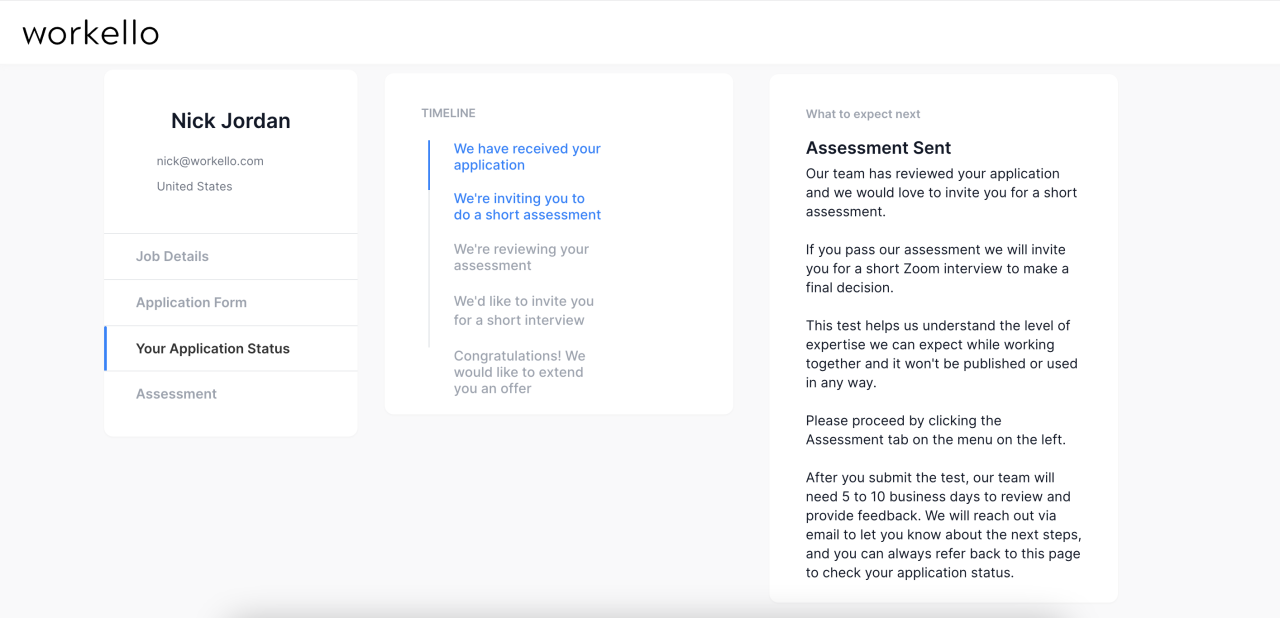
Achieving optimal results on Monster requires strategic efforts to enhance your visibility, stand out among other candidates, and effectively communicate your qualifications. Implementing expert strategies can significantly improve your chances of attracting the attention of recruiters and landing your desired job opportunities. This section provides actionable tips to help you maximize your success on the platform through profile optimization, application techniques, and leveraging Monster’s tools effectively.
A well-optimized profile not only increases your chances of appearing in relevant search results but also demonstrates professionalism and preparedness to potential employers. Understanding how to refine your profile and apply strategically can make a substantial difference in your job search outcomes.
Enhancing Profile Visibility and Ranking
To improve your profile’s visibility within Monster’s search ecosystem, focus on the following strategies:
- Use Industry-Specific s: Incorporate relevant s naturally into your summary, skills, and job titles. For example, a digital marketing specialist should include terms like “,” “content marketing,” “Google Analytics,” and “social media strategy,” which recruiters frequently search for.
- Complete Your Profile Fully: Ensure all sections—professional summary, work experience, education, skills, and certifications—are thoroughly filled out. Profiles with comprehensive details are prioritized in search ranks.
- Update Your Profile Regularly: Frequent updates signal activity and relevance, encouraging Monster’s algorithms to feature your profile more prominently.
- Obtain and Showcase Endorsements and Recommendations: Recommendations from colleagues or supervisors bolster credibility and can enhance your profile’s attractiveness to employers.
- Choose a Professional Profile Photo: A clear, professional headshot improves trustworthiness and increases the likelihood of profile views.
Dos and Don’ts for Effective Job Applications
Applying successfully on Monster involves following best practices that make your application compelling and aligned with employers’ expectations:
Effective job applications require careful customization and professionalism. Avoid common pitfalls that can diminish your chances of being shortlisted and focus on strategies that highlight your suitability for the role.
- Dos:
- Tailor each application to match the specific job description, emphasizing relevant skills and experiences.
- Use s from the job posting to pass through Applicant Tracking Systems (ATS) and increase visibility.
- Write concise, impactful cover letters that clearly articulate your value proposition.
- Follow application instructions precisely, including submission formats and required documents.
- Confirm your contact information is accurate and up-to-date to facilitate communication.
- Don’ts:
- Submit generic applications that do not address the specific role or company.
- Ignore spelling and grammar, as errors can create a negative impression.
- Overuse industry jargon or buzzwords without context or backing evidence of proficiency.
- Apply for roles where your qualifications significantly do not match the requirements.
- Neglect to follow up or track your applications, missing opportunities for additional engagement.
Optimized s and Phrases for Specific Industries
Using the right s can dramatically improve your profile’s relevance and search ranking within your industry. Here are industry-specific examples:
| Industry | Optimized s and Phrases |
|---|---|
| Information Technology (IT) | Software Development, Network Security, Cloud Computing, Java, Python, Agile Methodology, Cybersecurity, Data Analysis, DevOps, Troubleshooting |
| Healthcare | Nursing, Patient Care, Medical Coding, Healthcare Administration, EHR, Clinical Research, Pharmacology, Medical Billing, Health Informatics, Patient Safety |
| Finance | Financial Analysis, Budgeting, Investment Strategies, Risk Management, CPA, Financial Reporting, Auditing, Tax Planning, Portfolio Management, Compliance |
| Marketing | Content Strategy, , SEM, Social Media Marketing, Branding, Campaign Management, Market Research, Digital Advertising, Lead Generation, Customer Engagement |
| Education | Curriculum Development, Classroom Management, Educational Technology, TESOL, School Administration, Special Education, Lesson Planning, Student Assessment, E-Learning, Teacher Certification |
Effective integration aligns your profile with employer searches, increasing your chances of being discovered for relevant roles.
Last Recap
By understanding how to use Monster effectively, you can streamline your job search process, improve your visibility to recruiters, and increase your chances of securing desirable positions. Consistent engagement and strategic use of the platform’s features are key to achieving success in your career pursuits.