Learning how to use Glassdoor to research five companies can significantly enhance your understanding of potential employers. This platform offers a wealth of insights into company ratings, employee reviews, salary data, and workplace culture, empowering job seekers and researchers to make well-informed decisions.
By systematically exploring these features, you can gather comprehensive information that aids in comparing different organizations across various parameters. Whether you are evaluating company reputation, compensation packages, or interview experiences, mastering Glassdoor’s tools enables a thorough and efficient research process.
Overview of Using Glassdoor for Company Research

Researching companies thoroughly is a vital step for job seekers, investors, and business professionals aiming to make informed decisions. Glassdoor serves as a comprehensive platform that provides valuable insights into a company’s work environment, culture, compensation practices, and overall reputation. By leveraging Glassdoor, users can access authentic feedback from current and former employees, helping to paint an accurate picture of what it’s like to work at or partner with a specific organization.
Glassdoor’s suite of features simplifies the process of collecting detailed company insights. Its user-generated reviews, salary data, interview experiences, and company ratings create a multi-faceted overview that is both accessible and transparent. These features enable users to compare various companies effectively and identify key factors such as workplace satisfaction, benefits, management style, and growth opportunities. This holistic approach supports strategic decision-making, whether evaluating potential employment options or conducting market analyses.
Company Profiles and Review System
One of the cornerstone features on Glassdoor is the comprehensive company profile page, which consolidates critical information in one accessible location. These profiles provide an overview of the company’s size, headquarters location, industry sector, and mission statement, offering a foundational understanding for research purposes.
Equally important is the review system, where current and former employees share their experiences anonymously. These reviews often include detailed assessments of work-life balance, company culture, management quality, and career growth prospects. The collective feedback helps users gauge employee satisfaction levels and identify potential red flags or advantages associated with a particular organization.
Salary and Benefits Data
Accurate salary and benefits data are essential components of company research as they directly impact employee well-being and financial decision-making. Glassdoor collects salary reports submitted by employees across different roles, seniority levels, and geographic locations, enabling users to benchmark compensation packages effectively.
Furthermore, the platform offers insights into the benefits offered by each company, such as health insurance, retirement plans, stock options, and flexible work arrangements. This information allows users to evaluate the overall compensation package and assess how well it aligns with industry standards and personal expectations.
Interview Experiences and Recruitment Insights
Understanding the interview process and recruitment experience is crucial for preparing potential candidates and assessing employer transparency. Glassdoor provides detailed accounts of interview questions, difficulty levels, and the overall process experienced by previous applicants.
These insights assist job seekers in tailoring their preparation strategies and setting realistic expectations. Additionally, they offer recruiters and HR professionals feedback on their hiring procedures, helping them identify areas for improvement to attract top talent and streamline recruitment efforts.
Selecting the Five Companies to Research
Choosing the appropriate companies for research is a critical step in leveraging Glassdoor effectively. It enables job seekers and analysts to compare organizations meaningfully, ensuring that the insights gained align with their career goals, industry interests, and geographical preferences. By carefully selecting companies, users can focus their efforts on organizations that are most relevant and informative for their specific needs.
When identifying companies for comprehensive comparison, it is essential to consider various factors such as industry relevance, company size, location, and role-specific opportunities. These criteria help streamline the research process, making it more targeted and efficient. The following sections Artikel practical methods to select five suitable companies, along with a sample list to illustrate the selection process effectively.
Methods for Choosing Relevant Companies
To identify companies that align with personal or professional criteria, consider the following strategies:
- Industry Focus: Select companies operating within your target industry, such as technology, finance, healthcare, or manufacturing. This ensures the insights are directly applicable to your career interests.
- Geographical Location: Prioritize companies situated in regions where you plan to work or relocate. This helps you understand regional workplace culture, salary standards, and local job market trends.
- Role and Career Level: Choose companies that offer positions matching your experience level and professional aspirations, whether entry-level, managerial, or specialized roles.
- Company Size and Market Presence: Consider whether you prefer large corporations with structured hierarchies or smaller startups offering dynamic environments. Company size can influence workplace culture and growth opportunities.
- Reputation and Employee Feedback: Utilize existing reviews and ratings on Glassdoor to identify organizations with positive work environments or, conversely, to scrutinize those with recurring issues.
Criteria for Selecting Companies for Comprehensive Comparison
When establishing a shortlist of companies to analyze thoroughly, it is beneficial to develop specific criteria. These criteria will facilitate an organized evaluation and meaningful comparison across multiple dimensions:
- Industry Alignment: Ensure all selected companies belong to the same or related industries for consistency in comparison.
- Company Size: Include a mix of large multinational corporations and smaller local firms to gain diverse perspectives.
- Location: Focus on companies within the same region or city to evaluate local workplace conditions and compensation standards.
- Growth Prospects and Stability: Analyze companies with strong financial performance and growth potential, often highlighted in their Glassdoor reviews or annual reports.
- Employee Satisfaction and Culture: Review employee ratings, comments on work-life balance, management quality, and career development opportunities.
Sample List of Five Companies for Demonstration
Based on the Artikeld methods and criteria, here is an example list of five companies suitable for research and comparison:
| Company Name | Industry | Location | Size | Reputation Indicator |
|---|---|---|---|---|
| Tech Innovators Inc. | Technology | San Francisco, CA | Large multinational | |
| HealthPlus Medical | Healthcare | Chicago, IL | Mid-sized regional | |
| GreenEnergy Solutions | Renewable Energy | Austin, TX | Start-up | |
| FinanceFirst Bank | Financial Services | New York, NY | Large multinational | |
| Creative Media Co. | Media & Advertising | Los Angeles, CA | Small business |
This sample selection encompasses diverse industries, company sizes, and locations, providing a comprehensive basis for detailed analysis. Such a curated list enables users to compare various organizational attributes, employee experiences, and workplace cultures, ultimately supporting informed decision-making in their career pursuits.
Navigating Glassdoor to Find Company Profiles
Effectively locating company profiles on Glassdoor is a fundamental step in conducting thorough research. This process involves utilizing the platform’s search functionalities and filter options to quickly access detailed information about each organization. Mastering these navigation techniques ensures a streamlined approach, saving time and improving the accuracy of your research efforts.
Understanding how to efficiently find and review company profiles on Glassdoor enhances your ability to analyze employer reputation, review employee feedback, and gather insights into company culture. The following guide offers clear steps and tips to optimize your search process, making your research both comprehensive and efficient.
Steps to Locate Company Profiles on Glassdoor
Finding a company’s profile on Glassdoor requires a systematic approach that leverages the platform’s search tools. The process involves a series of straightforward steps designed to help users quickly locate the desired company page among numerous listings. Below is a detailed step-by-step guide:
- Access the Glassdoor homepage at https://www.glassdoor.com .
- Use the search bar positioned at the top of the homepage. Enter the full name of the company you are researching, ensuring correct spelling and capitalization for precise results.
- Hit the ‘Search’ button or press Enter to initiate the search.
- Review the search results displayed on the page. Typically, company profiles are listed at the top, especially if the company’s name is unique or well-known.
- Click on the company name that matches your target organization. This action redirects you to the company’s profile page, where detailed information is available.
In cases where multiple results appear, or the company’s name is common, employ additional search strategies such as adding the city or industry to refine results. This ensures you access the exact profile corresponding to the organization in question.
Using Search Filters and Navigation Flowchart
Maximizing search efficiency involves employing the filtering options provided by Glassdoor. These filters help narrow down results, especially when multiple companies share similar names or when seeking specific industry segments or locations.
- Filter by Location: Use this to locate the company’s regional profile if multiple branches exist.
- Filter by Industry: Narrow results based on business sectors such as technology, finance, healthcare, etc.
- Filter by Company Size: Focus on companies of certain employee ranges, which may influence company culture insights.
Additionally, creating a navigation flowchart can streamline your search process. For example:
Start at the Glassdoor homepage → Enter company name in search bar → Apply relevant filters (location, industry) → Review search results → Click on the correct company profile.
Employing these filters at each step minimizes unnecessary clicks and guides you directly to the most relevant company profile, saving valuable research time.
Analyzing Company Reviews and Ratings
Evaluating employee reviews and ratings on Glassdoor provides valuable insights into a company’s work environment, culture, and management practices. This process helps job seekers, researchers, and analysts assess the overall employee satisfaction and identify potential areas of concern or strength within organizations.
Careful analysis of these reviews involves organizing feedback systematically, identifying recurring themes, and interpreting overall ratings to form a comprehensive understanding of each company’s reputation. This approach enables more informed decisions, whether for employment, partnership, or investment purposes.
Organizing Employee Feedback and Ratings
Structuring employee feedback begins with collecting reviews from multiple sources on Glassdoor, focusing on a representative sample for each company. Organizing feedback into categories such as work-life balance, management quality, compensation, career growth, and company culture helps in identifying patterns and recurring sentiments.
It is essential to pay attention to the dates of reviews to track changes over time, as recent feedback often reflects current realities more accurately. Grouping reviews by tenure or department can also reveal specific strengths or challenges faced by different teams within the organization.
Compiling Key Positive and Negative Comments
Extracting notable comments involves identifying frequently mentioned themes, especially those that appear across multiple reviews. Positive comments typically highlight aspects like supportive management, good work-life balance, competitive pay, and opportunities for advancement. Negative comments often focus on issues such as poor communication, high turnover, lack of recognition, or inadequate resources.
Maintaining an organized record of these comments, perhaps by creating a summarized list or a spreadsheet, allows for quick comparison across companies. This method helps in highlighting the core strengths and weaknesses perceived by employees, which can influence overall ratings and reputation.
Interpreting Overall Company Ratings and Trends
The overall rating on Glassdoor, usually expressed on a 1 to 5-star scale, offers a snapshot of employee satisfaction. Analyzing these ratings involves examining the average score, understanding the distribution of reviews, and observing trends over time.
For example, a company with a rating consistently above 4.0 and increasing reviews indicating improvements might be viewed favorably. Conversely, declining ratings or a high volume of negative feedback could signal underlying issues. It’s important to contextualize ratings by considering the number of reviews—larger volumes of feedback tend to be more reliable than a small number of reviews.
Using a table to compile this data enhances clarity and comparison:
| Company Name | Overall Rating | Notable Pros | Notable Cons |
|---|---|---|---|
| Company A | 4.2 | Supportive management, flexible hours, good benefits | Limited career advancement, high workload |
| Company B | 3.5 | Competitive salary, collaborative environment | Lack of transparency in decision-making, inconsistent communication |
| Company C | 2.8 | Interesting projects, decent work-life balance | Poor leadership, limited recognition, high turnover |
| Company D | 4.0 | Opportunities for growth, positive culture | Workload can be intense during peak seasons |
| Company E | 3.2 | Good benefits, friendly colleagues | Management issues, lack of direction |
Investigating Salary Data and Compensation Packages
Understanding salary structures and compensation packages is a vital aspect of comprehensive company research. Glassdoor offers valuable insights into employee-reported salary data, enabling job seekers and researchers to evaluate earning potential across different organizations. By analyzing this data, one can make more informed decisions based on realistic salary expectations for specific roles within each company.
This section provides a step-by-step guide on how to extract salary information for various roles, compare salary ranges across the selected companies, and interpret additional compensation details. Leveraging this information can aid in assessing the competitiveness of each company’s pay structure and identifying benefits that may influence overall compensation packages.
Extracting Salary Information for Different Roles
Gathering accurate salary data begins with identifying key roles relevant to your career interests. On Glassdoor, search for the desired position within each company to access employee-reported salary figures. Use specific s associated with the role to filter results effectively. It’s important to consider factors such as location, experience level, and job seniority, as these factors significantly influence reported salaries.
- Input the role title in the Glassdoor search bar, along with the company name and location.
- Review the aggregated salary reports provided, which often include base pay, bonuses, and other forms of compensation.
- Note the number of salary reports to gauge data reliability; higher report counts typically indicate more accurate averages.
- Record salary figures, paying attention to the median, average, and range values for each role.
For roles with limited data, consider expanding the search criteria or including similar job titles to obtain a broader picture of compensation expectations.
Comparing Salary Ranges Across the Five Companies
Creating a comparative view of salary ranges allows for quick assessment of how each company compensates similar roles. This process involves consolidating salary data for specific positions across the organizations and analyzing the differences. Recognizing these variations can help identify which companies offer more competitive pay or better benefits packages.
- Aggregate salary data for each role from all five companies to establish comparable ranges.
- Determine the minimum, median, and maximum salary figures for each position per company.
- Identify trends such as consistently higher or lower salaries at particular companies or for specific roles.
- Factor in additional compensation elements, like performance bonuses or stock options, to assess total earning potential.
Designing a Responsive HTML Table to Present Salary Data
Effective comparison requires clear organization of salary information. A responsive HTML table facilitates easy viewing and interpretation of data across multiple devices. The table should include columns for Role, Company, Salary Range, and Additional Compensation, offering a comprehensive overview of each position’s remuneration details.
Sample table structure for salary comparison:
| Role | Company | Salary Range | Additional Compensation |
|---|---|---|---|
| Software Engineer | Company A | $80,000 – $110,000 | Stock options, bonuses |
| Software Engineer | Company B | $75,000 – $105,000 | Signing bonus, health benefits |
| Product Manager | Company C | $100,000 – $130,000 | Performance bonuses, stock grants |
This table can be styled with CSS to ensure responsiveness and readability on all devices, making it easier to compare salary data visually and identify the most attractive compensation packages across the researched companies.
Reviewing Interview Experiences and Tips
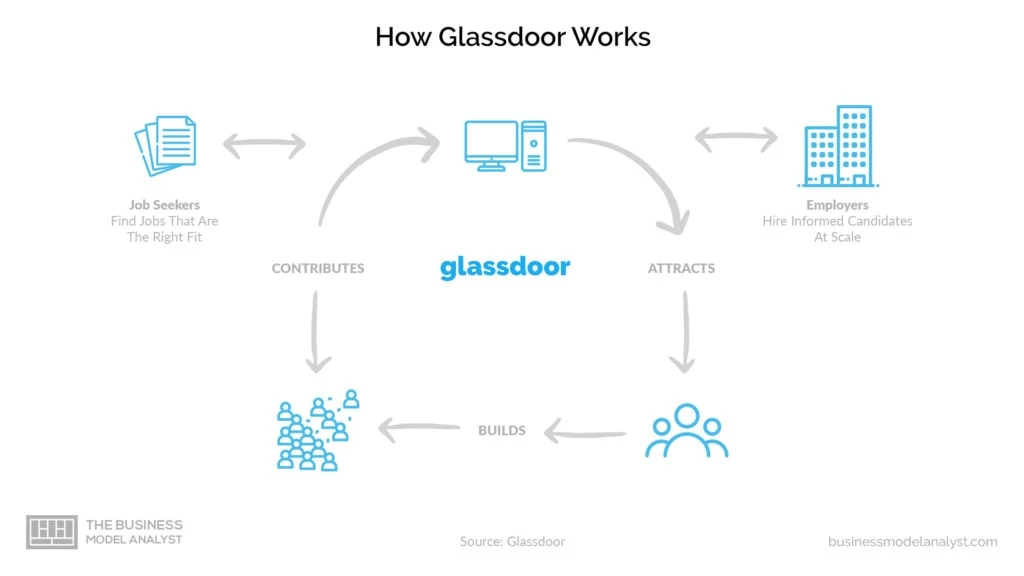
Gaining insights into a company’s interview process is a vital step in preparing for job applications and interviews. Glassdoor offers a valuable repository of candidate experiences that shed light on the interview formats, questions, and candidate feedback. By analyzing these reviews, applicants can develop a clearer understanding of what to expect and how to effectively prepare for interviews with specific companies.
This section details the steps to access interview reviews, how to extract common interview questions and candidate feedback, and organizes these insights into a structured format for easy comprehension and application.
Accessing Interview Process Reviews on Glassdoor
Accessing interview reviews for each company involves a systematic approach to navigate Glassdoor’s platform efficiently. First, locate the company’s profile by entering its name into the Glassdoor search bar. Once on the company page, click on the “Reviews” tab, which often contains subsections like “Interview Reviews,” “Salary,” and “Reviews.”
Within the “Interview Reviews” section, candidates share detailed descriptions of their interview experiences, including the stages they went through, the types of questions asked, and overall impressions. Filtering options enable users to view reviews based on the position, location, or date, allowing for more tailored insights.
Extracting Common Interview Questions and Feedback
Identifying common interview questions involves systematically reviewing multiple candidate reports to detect recurring themes or specific questions. Candidates often mention questions related to technical skills, behavioral scenarios, or situational judgment tests. Extracting these involves noting each question type and frequency across reviews.
Candidate feedback provides qualitative insights into the interview process, including difficulty level, interviewer professionalism, and company culture impressions. Pay close attention to comments that highlight both positive and negative aspects, as these reveal what interviewers value and potential pitfalls to prepare for.
Organizing Interview Insights into a Structured Format
To facilitate effective preparation, organizing interview insights into a structured format such as tables or bullet points enhances clarity. For example, creating a table that lists common questions, the interview stage at which they are asked, and the recommended approach can be highly beneficial. Below is an example structure:
Interview Stage Common Questions Candidate Feedback & Tips Initial Screening “Tell me about yourself,” “Why do you want to work here?” Be concise and focus on relevant experience; demonstrate enthusiasm about the company. Technical Interview Problem-solving coding questions, technical scenario questions Practice relevant technical skills; review key concepts; clarify questions before answering. Behavioral Interview Describe a challenging situation, teamwork experience, conflict resolution Use the STAR method (Situation, Task, Action, Result); prepare examples demonstrating soft skills. Final Round Company-specific questions, case studies, leadership questions Research the company thoroughly; prepare questions for interviewers; stay professional and confident.
Additionally, compiling candidate feedback into a summarized list or pros and cons can help identify patterns—such as interview difficulty, interviewer friendliness, and areas of focus—allowing candidates to tailor their preparations accordingly.
Cross-Comparing the Five Companies
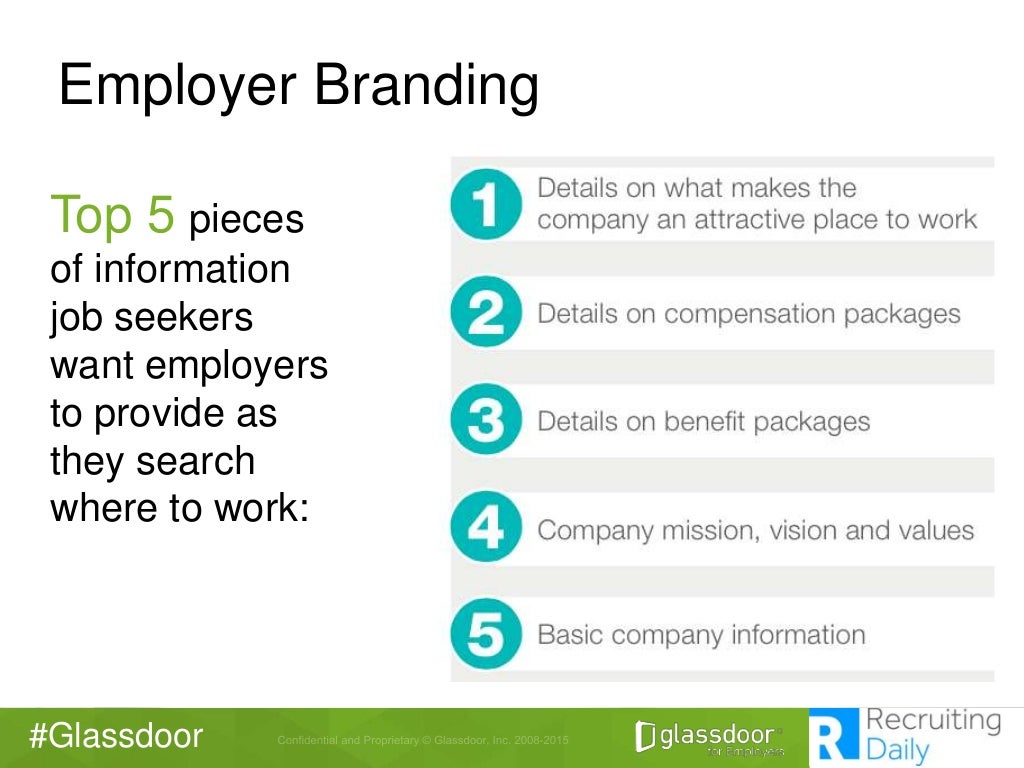
After gathering comprehensive data on the selected companies through Glassdoor, the next step involves systematically comparing their key attributes to derive meaningful insights. This process helps in identifying strengths, weaknesses, and distinctive features across organizations, providing a clear perspective for decision-making or strategic planning.
Effective cross-comparison involves organizing the collected information in a manner that facilitates easy analysis. By employing visual tools such as tables and charts, stakeholders can quickly discern differences in employee ratings, salary ranges, and cultural indicators. This structured approach enables a holistic view, highlighting areas where each company excels or requires improvement.
Methods for Organizing and Visualizing Data
To compare multiple companies effectively, it is essential to establish a structured framework that consolidates various metrics. This includes creating comparative tables that display ratings, salaries, and review summaries side by side. Visual aids like bar charts, spider diagrams, or heat maps can further enhance clarity, revealing patterns and outliers at a glance.
Using a multi-criteria comparison table allows for a straightforward evaluation of each company’s performance across critical factors, such as employee satisfaction, compensation, and workplace culture. For example, a table can list companies in rows and categories like overall ratings, average salaries, and top review themes in columns, enabling quick cross-reference.
Organizing Data with Tables and Charts
Constructing comprehensive tables involves selecting relevant data points from Glassdoor profiles—for instance, overall ratings, salary medians, and review sentiments—and arranging them systematically. This approach simplifies the identification of trends and disparities among companies. Additionally, visual charts can illustrate differences more intuitively:
- Bar charts for comparing average salaries and ratings across companies.
- Spider or radar charts to visualize multiple attributes such as culture, benefits, and management style simultaneously.
- Heat maps to highlight areas of concern or excellence based on review sentiments.
Synthesizing Comparative Insights
After organizing the data visually, the next step involves synthesizing findings into a cohesive overview. This includes highlighting key differentiators, such as which company offers the highest average salary, which maintains the most positive employee reviews, or where cultural strengths are most prominent. Creating a summary matrix or dashboard can help encapsulate this information into an easily digestible format.
For example, a comparison might reveal that Company A has the highest employee ratings but offers slightly lower salaries than Company B. Conversely, Company C might excel in flexible working arrangements but has mixed reviews regarding management. Such insights can inform strategic decisions or career choices effectively.
Summarizing Key Insights for Decision-Making
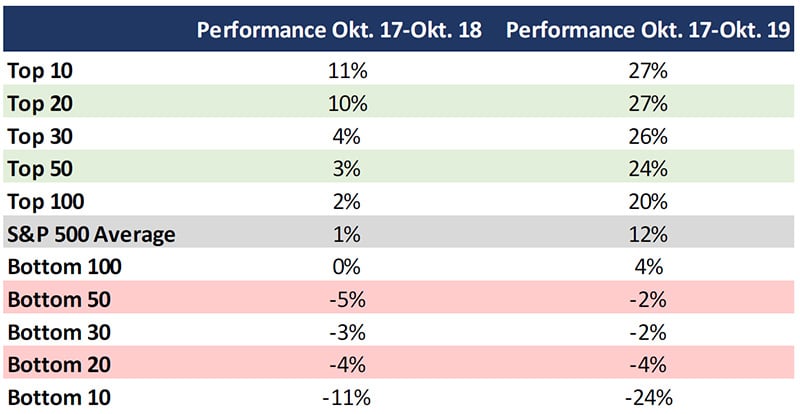
Effective decision-making after conducting comprehensive company research on Glassdoor hinges on distilling complex data into clear, actionable insights. This process involves synthesizing review trends, salary information, interview experiences, and overall company ratings into a concise format that facilitates better understanding and comparison. By doing so, candidates can prioritize their preferences and make informed choices aligned with their career goals and personal values.Compiling the most relevant information requires careful selection of data that directly impacts employment decisions.
Focus on consistent themes in reviews, such as workplace culture, management quality, career growth opportunities, and employee satisfaction. Salary data should be contextualized within industry standards and geographic cost of living. Review interview experiences to gauge the company’s hiring process difficulty and transparency. Summarizing these elements helps in identifying strengths, weaknesses, and potential risks associated with each company.Presenting research outcomes in clear, digestible formats enhances comprehension and facilitates comparisons.
Visual summaries such as infographics can effectively highlight key metrics—such as average ratings, salary ranges, and common review sentiments—in an engaging manner. Bullet point lists offer quick reference summaries, emphasizing the most critical insights without overwhelming the reader. Additionally, tables can organize data systematically, allowing easy side-by-side comparisons of multiple companies. Creating visual summaries involves transforming textual data into graphical representations that capture essential insights at a glance.
For example, an infographic might display a side-by-side comparison of overall ratings, benefits ratings, and interview difficulty levels for all five companies. Bullet point lists can succinctly enumerate recurring positive and negative themes noted in employee reviews, such as “Supportive management,” “Limited advancement opportunities,” or “Competitive salary packages.” Using both visual and textual formats ensures a comprehensive yet accessible overview, enabling candidates to make well-informed employment decisions rooted in thorough research.
Final Wrap-Up
In conclusion, utilizing Glassdoor to research five companies provides a strategic advantage in understanding organizational environments and making informed career choices. By analyzing reviews, salary data, and cultural insights, you can develop a well-rounded perspective that supports your professional decisions and future planning.